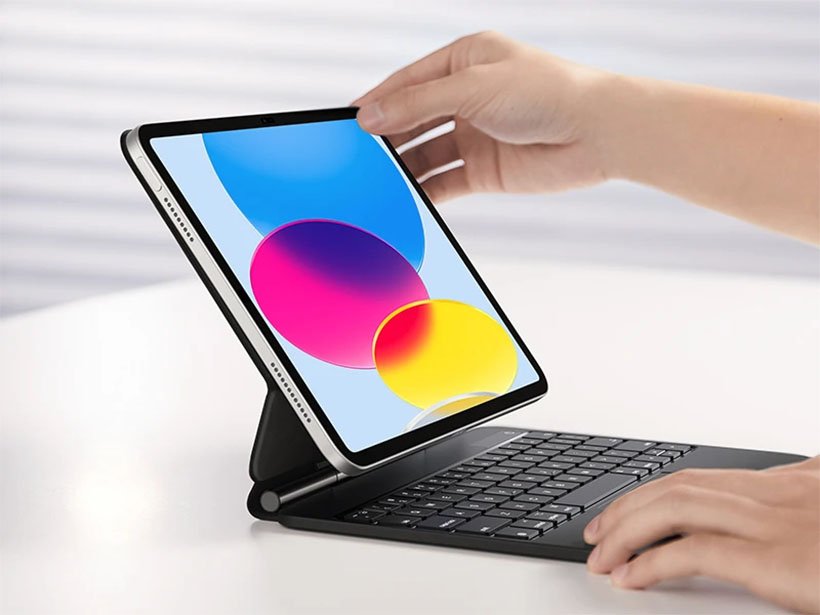
Unlock Your iPad's Full Potential: The Ultimate iPad 10th Gen Keyboard Buying Guide & Pricing Explained
So, you've got your hands on the vibrant iPad 10th generation, and now you're wondering how to really make it sing as a productivity powerhouse. You're in the right place. This definitive iPad 10th Gen Keyboard Buying Guide & Pricing will walk you through everything you need to know, from seamless connectivity to premium typing experiences, ensuring you find the perfect keyboard that transforms your tablet from a consumption device into a serious workhorse. Forget fumbling with the on-screen keyboard—it's time for real keystrokes and fluid navigation.
At a Glance: Your Quick Keyboard Takeaways for iPad 10th Gen
- Three Ways to Connect: Your iPad 10th Gen supports Smart Connector (best for seamless integration), Bluetooth (most flexible), and even wired USB-C keyboards.
- Top Smart Connector Picks: Apple's Magic Keyboard Folio is premium, while Logitech Combo Touch offers fantastic value with protection and a trackpad.
- Best Value with Trackpad: The Logitech Combo Touch ($130-160) consistently delivers a great typing and trackpad experience with full device protection.
- Budget-Friendly & Flexible: Standalone Bluetooth keyboards like the Logitech K380 ($30-40) or Omoton Ultra-Slim ($20) offer excellent typing without the case integration.
- Trackpad is a Game-Changer: For serious work, an integrated trackpad (or separate mouse) dramatically improves iPadOS navigation and productivity.
- Compatibility Matters: The Magic Keyboard Folio is exclusive to the iPad 10th Gen. The more expensive "Magic Keyboard" (floating design) is not compatible.
Why Your iPad 10th Gen Deserves a Dedicated Keyboard
Let's be honest: while the iPad 10th Gen is a stunning tablet, tapping away on the glass screen for anything more than a quick email or search can be tedious. A physical keyboard doesn't just make typing faster and more comfortable; it fundamentally changes how you interact with your device. It unlocks multi-tasking, allows for precise text editing, and truly blurs the line between tablet and laptop. From writing reports and coding to managing spreadsheets and responding to emails, a keyboard is the cornerstone of iPad productivity.
Understanding iPad 10th Gen Keyboard Compatibility: The Connection Lowdown
The iPad 10th generation is exceptionally versatile when it comes to external keyboards, offering three distinct connection methods. Knowing these will help you choose wisely:
- The Smart Connector Advantage: This is Apple's proprietary magnetic three-pin connector, found on the bottom edge of your iPad 10th Gen. Keyboards that use it offer instant, seamless connectivity—no Bluetooth pairing, no separate battery to charge, and virtually no lag. Power is drawn directly from your iPad, so it's always ready to go. Think of it as a plug-and-play solution designed specifically for your iPad.
- Examples: Apple Magic Keyboard Folio, Logitech Combo Touch.
- Bluetooth: The Universal Connector: Most standalone keyboards, and many integrated cases, connect via Bluetooth. This method offers incredible flexibility, as nearly any Bluetooth keyboard can pair with your iPad. You can use it across multiple devices (iPad, iPhone, Mac, PC), and it doesn't rely on physical alignment. The trade-offs? You'll need to pair it initially, manage its internal battery (or replace disposable ones), and sometimes experience a slight delay or dropout, though modern Bluetooth is very reliable.
- Examples: Logitech K380, Apple Magic Keyboard (standalone version), ZAGG Pro Keys (for 10th Gen).
- USB-C Port: The Wired Option: While less common for keyboards due to the iPad's portability, your iPad 10th Gen's USB-C port does support wired USB-C keyboards. Simply plug it in, and it works. This is usually reserved for specific desk setups where reliability and zero latency are paramount, or if you already own a wired keyboard you love.
Making the Smart Choice: Key Considerations for Your iPad Keyboard
Choosing the "best" keyboard isn't a one-size-fits-all situation. It's about aligning features with your specific needs, usage patterns, and budget. Here's what to weigh:
1. Connection Method: Seamless vs. Flexible
- Smart Connector (Apple Magic Keyboard Folio, Logitech Combo Touch): Opt for this if you prioritize simplicity, instant connection, and never wanting to worry about charging your keyboard. It's a "set it and forget it" experience, drawing power directly from your iPad.
- Bluetooth (Logitech K380, ZAGG Pro Keys): Choose Bluetooth for maximum versatility. If you want a keyboard you can use with your iPad, iPhone, and even your desktop computer, Bluetooth is your friend. Just remember to keep an eye on battery levels and be prepared for initial pairing.
2. Trackpad Integration: A Productivity Game-Changer?
- With a Trackpad (Apple Magic Keyboard Folio, Logitech Combo Touch): If your iPad is a primary device for work, school, or extensive content creation, a trackpad is almost essential. It allows for precise cursor control, full iPadOS gestures (like multi-finger scrolling and app switching), and a much more laptop-like experience, significantly boosting efficiency.
- Without a Trackpad (ZAGG Pro Keys, Logitech Slim Folio, standalone Bluetooth keyboards): If you mainly type notes, emails, or short documents, and prefer to interact with your iPad screen directly (or use a separate mouse), foregoing the trackpad can save you money, weight, and bulk.
3. Typing Feel & Backlighting: Comfort & Clarity
- Key Travel: How far the key moves when pressed. Generally, more travel (1mm-1.5mm) offers a more satisfying, laptop-like typing experience.
- Key Feedback: The tactile "bump" or "click" you feel. This is subjective but crucial for comfortable, error-free typing over long periods.
- Backlighting: Absolutely essential if you frequently work in dimly lit environments. Premium keyboards often offer adjustable brightness or even smart backlighting that adapts to ambient light. Budget options typically lack this feature.
4. Portability vs. Protection: Finding Your Balance
- Integrated Keyboard Cases: These offer an all-in-one solution, protecting your iPad while adding keyboard functionality. They are convenient but will add noticeable weight and bulk to your iPad. Consider how much extra heft you're willing to carry.
- Standalone Keyboards: These are often much lighter and thinner, offering maximum portability for the keyboard itself. However, you'll need a separate case for iPad protection, and you'll have two items to manage instead of one.
5. Budget & Value: What's the Right Price?
iPad keyboards range from $20 to $250+.
- Premium ($200+): Expect top-tier materials, exceptional typing, integrated trackpads, and seamless integration.
- Mid-Range ($100-200): Great balance of features, typing quality, and protection. Often the "sweet spot" for most users.
- Budget ($20-100): Focus on core typing functionality. You might sacrifice backlighting, trackpads, premium build, or integrated protection.
Top Keyboard Contenders for iPad 10th Generation
Let's dive into the specifics of the best keyboards available for your iPad 10th Gen, covering different needs and price points.
1. Apple Magic Keyboard Folio for iPad 10th Generation
The Premium Apple Experience, Exclusively for 10th Gen
If you want the absolute best typing experience and seamless integration Apple can offer for your iPad 10th Gen, this is it. It connects via the Smart Connector, so it's always ready. The two-piece design is clever: a protective back cover that remains on the iPad, and a detachable keyboard base. This means you can easily shed the keyboard when you just want to use your iPad as a tablet, while still keeping the back protected and using the adjustable kickstand.
- Design: Two-piece magnetic design (protective back case + detachable keyboard base). Smart Connector.
- Typing: Scissor-switch keys with 1mm travel feel crisp and responsive. Features a full-size layout and a dedicated 14-key function row (brightness, media controls, volume, search, dictation, screenshot—all the good stuff).
- Trackpad: Integrated, smooth, and highly responsive, supporting all iPadOS gestures with precision.
- Stand: Adjustable kickstand on the back cover offers flexible viewing angles.
- Price: Around $249 (a significant investment).
- Pros: Premium feel, excellent typing, true keyboard removability, full function row, robust trackpad, slim profile.
- Cons: High price, leaves the iPad's sides and front (when folded back without keyboard) exposed.
- Compatibility: Exclusively for iPad 10th generation. Crucially, this is different from the floating Apple Magic Keyboard for iPad Pro/Air.
2. Logitech Combo Touch for iPad 10th Generation
The Best Overall Value: Protection, Trackpad, & Great Typing
For many users, the Logitech Combo Touch strikes the perfect balance of features, protection, and price. It’s an exceptional all-rounder that rivals Apple's offering in functionality while adding superior device protection. This keyboard case wraps your iPad in a durable fabric, offering comprehensive drop and scratch resistance. It connects via the Smart Connector, meaning no charging for the keyboard itself.
- Design: Detachable keyboard with a fabric-covered case providing full wraparound protection. Attaches magnetically via Smart Connector.
- Typing: Backlit keys with 1.2mm travel offer satisfying feedback—many find it slightly softer yet still tactile compared to Apple's keys. Includes a full row of iPadOS shortcut keys.
- Trackpad: A generous-sized trackpad provides ample space for gestures and precise navigation, making it highly effective for productivity.
- Stand: An integrated kickstand allows for infinite viewing angles, from typing to drawing to watching movies. The keyboard can detach while the case and kickstand remain, keeping your iPad protected.
- Price: Typically $130-160.
- Pros: Excellent value, comprehensive protection, large trackpad, backlit keys, versatile kickstand, detachable keyboard (maintains protection).
- Cons: Slightly heavier and bulkier than Apple's Magic Keyboard Folio.
- Compatibility: Available for iPad 10th generation (and other models like iPad 9th gen, iPad Air 5th gen, iPad Pro).
3. ZAGG Pro Keys for iPad 10th Generation
Maximum Protection, Bluetooth Flexibility (No Trackpad)
If ultimate device protection is your top priority and you don't require a trackpad, the ZAGG Pro Keys is an excellent choice. This rugged case provides military-grade drop protection with reinforced corners and raised edges. Its key differentiator is the completely removable Bluetooth keyboard, which means you can leave it behind when you just need the protective case.
- Design: Rugged protective case with a completely removable Bluetooth keyboard. Features Apple Pencil storage.
- Connection: Bluetooth (requires pairing and recharging via USB-C, offering weeks of battery life).
- Typing: Satisfying tactile feedback and good key travel depth, plus dedicated iOS function keys.
- Trackpad: Important: This version LACKS a trackpad.
- Price: $100-130.
- Pros: Maximum protection, keyboard fully detaches (modularity), good typing experience.
- Cons: No trackpad, Bluetooth connection means pairing and recharging.
- Compatibility: iPad 10th generation.
4. Logitech Slim Folio for iPad 10th Generation
The Budget-Friendly Integrated Case
For those on a tighter budget who still want an integrated keyboard case, the Logitech Slim Folio offers a lightweight solution. It provides basic protection and a comfortable typing experience, making it a solid choice for students or casual users.
- Design: Lightweight, durable case with an integrated keyboard and a convenient stylus holder.
- Typing: Features shortcut keys for common iPad functions (like Spotlight search and home screen access).
- Power: Uses replaceable CR2032 coin cell batteries, offering long battery life without needing to recharge via cable.
- Trackpad: Lacks a trackpad.
- Price: Typically under $100.
- Pros: Lightweight, easy setup, very budget-friendly, integrated shortcuts.
- Cons: No trackpad, uses coin cell batteries (though they last a long time), offers less protection than the Combo Touch.
- Compatibility: iPad 10th generation.
Standalone Bluetooth Keyboards: Maximum Flexibility & Universal Appeal
Sometimes, an integrated case isn't what you need. Maybe you already have a fantastic protective sleeve, or you want a keyboard that can serve double duty with your Mac, iPhone, or PC. Standalone Bluetooth keyboards offer incredible flexibility, often superior typing experiences, and generally lower prices.
Here are some top picks that will pair effortlessly with your iPad 10th Gen:
- Apple Magic Keyboard (Standalone Bluetooth Model): Priced around $99. This is the same elegant, aluminum, rechargeable keyboard that comes with iMacs. It features Apple's crisp scissor-switch keys with 1mm travel and perfect spacing. It’s thin, feels premium, but lacks backlighting.
- Logitech K380 Multi-Device Bluetooth Keyboard: A perennial favorite at $30-40. This compact (11-inch width) keyboard features unique round "pebble" keys that are surprisingly comfortable. It can pair with up to three devices simultaneously (iPad, phone, computer) and switch between them with a button press. Runs on AAA batteries that last for months or even years.
- Omoton Ultra-Slim Bluetooth Keyboard: An incredible value at around $20. This full-size, scissor-switch keyboard boasts a metallic design, is incredibly thin (0.24 inches), and weighs just 10 ounces. It runs on AAA batteries for months and some versions even offer 7-color backlighting (rechargeable via micro-USB).
- Keychron K3 Ultra-Slim Mechanical Keyboard: For mechanical keyboard enthusiasts, priced $70-90. This slim (0.9-inch) keyboard features hot-swappable low-profile mechanical switches, customizable RGB backlighting, and an aluminum frame. Its 75% layout balances compactness with full functionality.
- Logitech MX Keys Mini: A premium compact option at $99. Known for its spherically-dished keys that cradle your fingertips, smart backlighting that adjusts to ambient light, and a robust build. It recharges via USB-C and can pair with up to three devices.
- Jelly Comb Foldable Bluetooth Keyboard: Priced $30-40. This clever keyboard folds in half to become pocket-sized, yet unfolds into a full-size layout. It's the ultimate pick for extreme portability.
- Arteck HB030B Ultra-Slim Bluetooth Keyboard: Another budget gem at $25-30. Made of stainless steel, with chiclet-style keys, a built-in rechargeable battery (lasting months), and 7-color backlighting. At 0.25 inches thin, it's highly portable.
Integrated Keyboard Cases vs. Standalone Keyboards: Which Path is Right for You?
Deciding between an all-in-one keyboard case and a separate keyboard/case combo is a crucial step. Here’s a breakdown to help you choose:
| Feature | Integrated Keyboard Cases (e.g., Apple Magic Keyboard Folio, Logitech Combo Touch) | Standalone Bluetooth Keyboards (e.g., Logitech K380, Apple Magic Keyboard) |
|---|---|---|
| Convenience | All-in-one unit, seamless Smart Connector (no pairing/charging for keyboard) | Separate items, requires pairing, battery management (keyboard only) |
| Protection | Often provides full device protection (depends on model) | Requires a separate case for iPad protection |
| Portability | Adds significant weight and bulk to iPad | Keyboard is very light/thin; total bag space depends on separate iPad case |
| Typing Quality | Good to excellent, but can be limited by iPad's form factor | Often superior key feel, larger layouts, more options (e.g., mechanical) |
| Trackpad | Commonly integrated, optimized for iPadOS gestures | No integrated trackpad (requires separate mouse) |
| Versatility | iPad-specific (Smart Connector); Bluetooth ones can connect to other devices | Universal compatibility (iPad, iPhone, Mac, PC, Android) |
| Cost | Generally higher (often $100-$250+) | Often lower for keyboard itself ($20-$100+), plus cost of separate case |
| Our Recommendation: Many users find value in owning both. An integrated keyboard case for on-the-go productivity and comprehensive protection, and a premium standalone Bluetooth keyboard for more serious desk-based work, where superior typing feel and multi-device capabilities are appreciated. |
What About Other iPads? Quick Compatibility Notes
It’s crucial to understand that keyboard compatibility often depends on the specific iPad model, particularly for Smart Connector cases. While this guide focuses on the 10th Gen, here’s a quick overview for other popular models:
- iPad 9th Generation (and older base models): These models have the Smart Connector on their side edge. Keyboards like the Apple Smart Keyboard and the Logitech Combo Touch for iPad 9th Generation are designed for them. The Logitech Combo Touch for iPad 9th Generation is highly recommended for its large trackpad, full protection, and backlit keys. Standalone Bluetooth keyboards work universally.
- iPad 11-inch (Air 4th/5th Gen, Pro 1st-4th Gen): Often referred to as "iPad Air 11th Gen" or "iPad 11th Gen," these actually refer to the 11-inch iPad Air and iPad Pro models. They use a different Smart Connector placement and magnetic design. For these, the Apple Magic Keyboard for iPad Pro/Air (the floating cantilever design) and the Logitech Combo Touch for iPad Air 5th generation are the top choices. Remember, the Magic Keyboard Folio for the 10th Gen will not fit these.
Navigating the Price Tag: What to Expect
Pricing for iPad keyboards varies wildly, largely reflecting build quality, brand, and feature set. Here's a general pricing guide for the options discussed:
- Apple Magic Keyboard Folio (iPad 10th Gen): ~$249
- Logitech Combo Touch (iPad 10th Gen): $130 - $160
- ZAGG Pro Keys (iPad 10th Gen): $100 - $130
- Logitech Slim Folio (iPad 10th Gen): ~$99
- Standalone Bluetooth Keyboards:
- Budget (Omoton, Arteck, K380): $20 - $50
- Mid-Range (Keychron, Jelly Comb): $50 - $90
- Premium (Apple Magic Keyboard - standalone, Logitech MX Keys Mini): $99 - $120+
Remember that prices can fluctuate, especially with sales and promotions from retailers like Amazon, Best Buy, or directly from the manufacturers. It's always a good idea to compare prices before making a purchase.
Burning Questions Answered (FAQs)
Can iPad 10th generation use Magic Keyboard for iPad Pro?
No. The Apple Magic Keyboard Folio is exclusively for the iPad 10th generation due to its unique dimensions and Smart Connector placement. The floating-style Apple Magic Keyboard is designed for the 11-inch and 12.9-inch iPad Pro models and the iPad Air (4th/5th Gen), and it is not compatible with the iPad 10th Gen.
Do iPad keyboards work with all iPad models?
Smart Connector and magnetic keyboard cases are typically model-specific due to precise fit and connector placement. However, standalone Bluetooth keyboards are universally compatible with all iPad models, as well as iPhones, Macs, Android devices, and Windows PCs.
How long do iPad keyboard batteries last?
Smart Connector keyboards (like Apple's or Logitech's Combo Touch) draw minimal power directly from the iPad (usually reducing iPad battery life by a negligible 10-15% during active use) and thus never need their own charging. Bluetooth keyboards typically have their own batteries that last for weeks to months, or even years for models using disposable AAA batteries.
Can I use my iPad keyboard with my MacBook or other devices?
Smart Connector keyboards are designed exclusively for their specific iPad models. However, most Bluetooth keyboards can be paired with any Bluetooth-enabled device, including MacBooks, iPhones, Android phones/tablets, and Windows PCs. Many even support multi-device pairing, letting you switch between your iPad and other devices with a simple button press.
Are cheap keyboards worth it for iPad?
Yes, for casual users, students, or those on a tight budget, cheap keyboards ($20-30) can be perfectly functional and offer good value for occasional typing. However, they generally lack the premium build quality, durability, refined typing feel, backlighting, and integrated trackpads found in more expensive options. For extensive daily typing, a mid-range or premium option is usually a better long-term investment.
Does using a keyboard drain iPad battery faster?
While Smart Connector keyboards do draw a small amount of power (around 10-15% reduction in iPad battery life during active use), the impact is generally negligible compared to screen brightness, intensive apps, or cellular data usage. Bluetooth keyboards have a very minimal power draw on the iPad itself, as their power comes from their internal battery. So, no, using a keyboard won't dramatically "drain" your iPad battery.
Your Ideal iPad Keyboard Awaits: Final Thoughts & Actionable Advice
Choosing the right keyboard for your iPad 10th Gen is a highly personal decision that balances functionality, budget, and how you actually use your tablet.
The landscape of Keyboards for iPad 10th generation offers something for everyone, whether you're a student, a creative professional, or someone who simply wants a more comfortable typing experience.
- For the Premium Seeker: If budget isn't a major constraint and you want the absolute best typing experience and Apple integration, the Apple Magic Keyboard Folio ($249) is your top pick.
- For the Smart Spender & Everyday Power User: The Logitech Combo Touch ($130-160) offers incredible value. It delivers a fantastic typing experience, a large trackpad, and robust protection, making it the best all-around choice for most.
- For the Budget-Conscious & Flexible Type: If you primarily need comfortable typing without an integrated trackpad or case, a standalone Bluetooth keyboard like the Logitech K380 ($30-40) or Omoton Ultra-Slim ($20) offers exceptional value and portability. Pair it with a simple folio case for protection, and you're good to go.
Before you buy, take a moment to honestly assess your daily routine: - How much typing do you actually do?
- Do you need a trackpad for precise work?
- Is comprehensive protection a must-have, or do you prefer a minimalist setup?
- Do you work in dim lighting often?
- What's your absolute top budget?
By answering these questions, you'll narrow down your choices and confidently pick a keyboard that truly enhances your iPad 10th generation experience, transforming it from a great tablet into an indispensable productivity tool. Happy typing!